
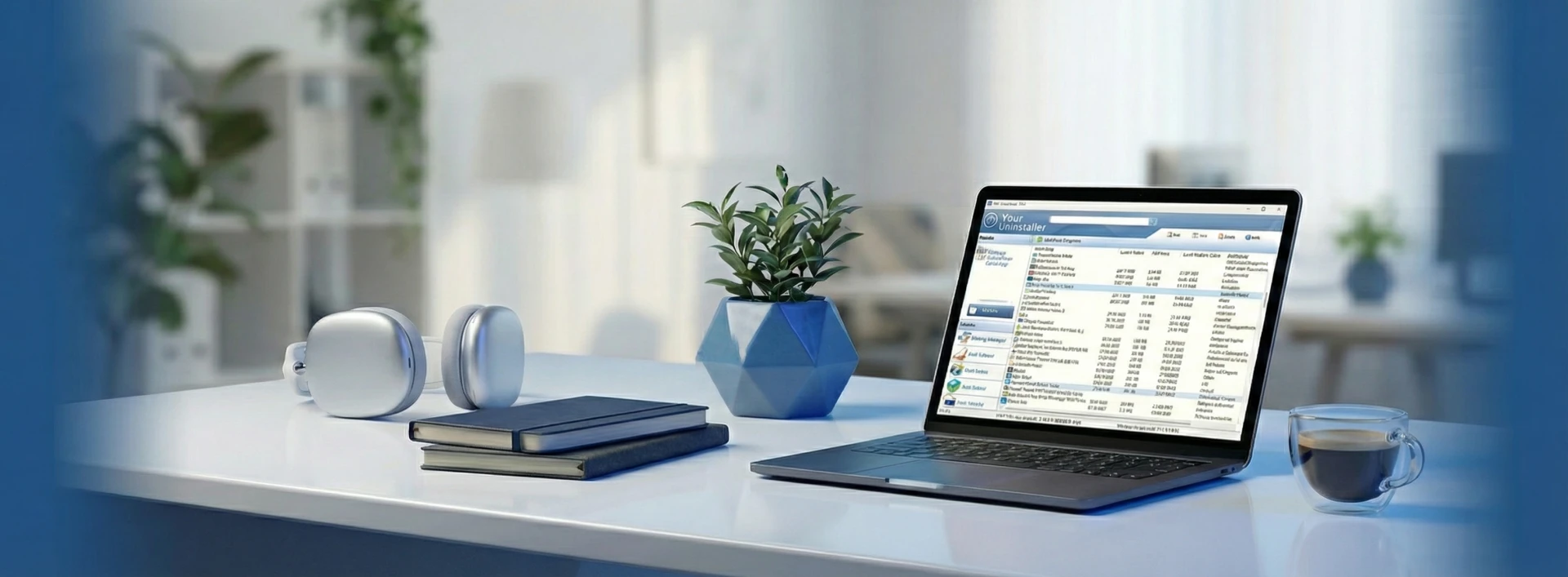
Your Uninstaller! 7
Uninstall any unwanted app
completely!
Supports Windows 11/10/8/7/Vista/XP









Keeping your PC clean has always been challenging.
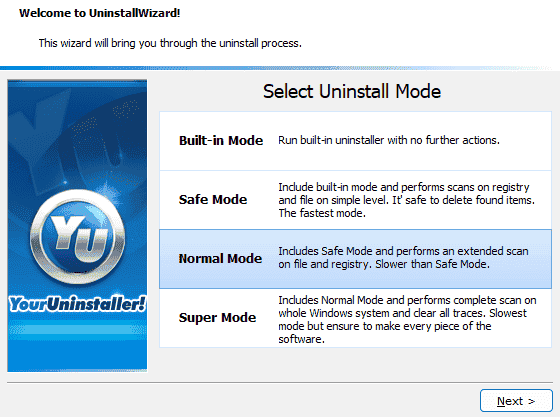
Now here's the solution. Several uninstall modes make it possible to obliterate every piece of the application.
Your Uninstaller can scan the entire system for every trace of an application (which takes more time) or call the native uninstaller. It's highly customizable.
Find all traces left in a few clicks.
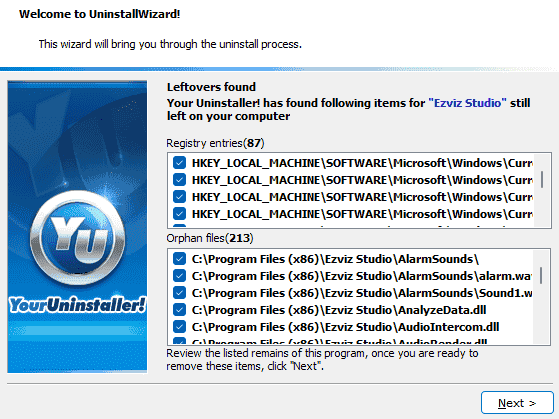
With our advanced scanning algorithms, Your Uninstaller can find junk files and registry entries related to a particular app.
By monitoring and analysing the install logs and application behaviors, Your Uninstaller knows all about the application you want to remove. It works like a charm to do its job.
Core Features of Your Uninstaller! 7
Full uninstall, registry cleanup, startup control, privacy shredding and deep scan — keep Windows clean, secure and fast.

Complete Uninstallation
Uninstall any installed program completely, even corrupted ones. The most exciting part of Your Uninstaller! is: eradicating every aspect of a program. With Your Uninstaller, it's easy to uninstall any installed program - no trace left.

Deep System Scan
If you often install/uninstall software, you will inevitably experience corrupted programs. They stay on your program list and fail when you try to eliminate them. Let Your Uninstaller fix them.

Secure File Shredder
After standard uninstallation, Your Uninstaller scans the system for related traces and removes any 'junk artifacts.' You'd never even know you installed the program on your PC.

Startup Manager
Some programs are tough to remove, incredibly old-fashioned non-conforming programs. They are not even problems for Your Uninstaller!

Disk Cleaner
No expert knowledge is required. Usability is always foremost on our minds when we develop products. Your Uninstaller is straightforward to use. No hassles, no confusion.

Force Uninstall
Your Uninstaller supplies several well-designed utilities like Startup Manager, File Shredder, Disk Cleaner, and more. These tools provide excellent support to make Windows solid and fast.




Trusted by Windows Users Worldwide
Safely uninstall apps, clean leftovers, and keep your PC fast and tidy.
67
Install log analysing modules
312,940
Happy clients
20
Years development experience
Clean, secure and fast
Uninstall apps completely, clean registry leftovers, manage startups and shred privacy traces — all in one.








Activate your Free forever
It's free to download and try our software . Use the Name and Registration Code below to unlock the trial version.
- 1Download and install Your Uninstaller! from the DOWNLOAD NOW button above.
- 2Open Your Uninstaller! and click Enter Registration Code.
- 3Type the Name and Registration Code shown below, then click OK.